Genres
AI kids song generator for simple sing-alongs
SoundUser is an AI kids song generator for parents and teachers who need a simple sing-along track for names, routines, learning, or birthdays. Describe the song, paste lyrics if you have them, pick a style, and generate a finished track. A track costs 10 credits and runs up to 180 seconds.
Kids pop examples and prompts
Every track below was made with SoundUser. The prompt under each player is the exact text we used.
Brush Brush Leo
Promptkids pop, 112 BPM, C major, playful, bright, ukulele, handclaps, xylophone, bouncy bass, simple sing-along chorus, warm female vocal
Count to Ten Parade
Promptchildren's learning song, 120 BPM, G major, upbeat, cheerful, marching snare, glockenspiel, tuba bass, call-and-response vocals
Sleepy Moon
Promptlullaby, 66 BPM, D major, soft, soothing, music box, gentle harp, warm pad, slow lilting soft female vocal
Rainy Day Stomp
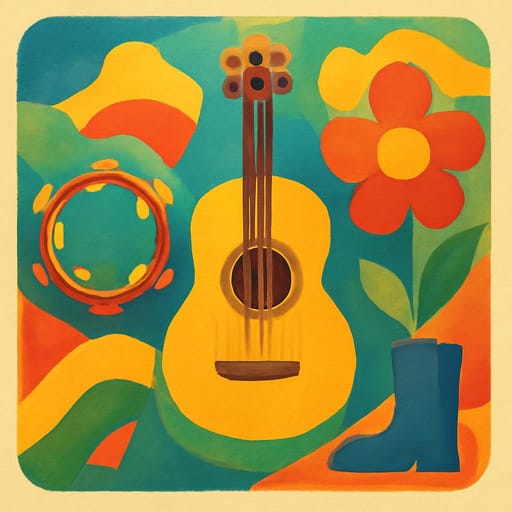
Promptkids folk, 100 BPM, A major, silly, energetic, acoustic guitar, stomping kick, tambourine, group sing-along chorus, male vocal
Kids song details that keep the melody singable
Use 90-130 BPM for most children's songs, and 60-75 BPM for lullabies. Happy routine songs usually work in C, G, or D major because the chord shapes and melody jumps tend to stay simple. Keep the tune inside a narrow range, about an octave, so a group can follow it without strain.
Good style tags are kids pop, nursery rhyme, classroom chant, lullaby, kids folk, and call-and-response. Useful instruments are ukulele, xylophone, glockenspiel, handclaps, soft bass, light drums, music box, and small percussion.
The usual prompt mistakes are easy to hear: lyrics with too many clauses, minor keys for a cheerful song, tempos over 130 BPM, and a full band when you only need ukulele and claps. One idea per song beats a packed lesson. Brushing teeth, counting to ten, or the letter B. Not all three.
Pick the tempo and instruments for the job
Four common uses need different tempos, because a bedtime track should not move like a car song.
| Use | BPM | Instruments |
|---|---|---|
| Bedtime | 60-75 | music box, gentle harp, warm pad, soft shaker |
| Learning | 105-125 | glockenspiel, claps, light drums, bouncy bass |
| Car sing-along | 110-130 | ukulele, tambourine, xylophone, simple kick |
| Class routine | 90-115 | handclaps, acoustic guitar, small snare, group response |
If you are making a birthday hook, keep the name near the end of the line so the rhyme lands cleanly. The birthday song maker is a better fit when the whole track is built around candles, cake, and a named child.
How to make a kids song in SoundUser
Three steps are enough to make a focused AI song for children.
- Choose one job for the song: wash hands, line up, count to ten, spell a name, or calm down before sleep.
- Write a short prompt with age range, tempo, key, instruments, vocal feel, and the repeated line you want children to remember.
- Generate the track, listen from start to finish, then change one thing at a time: slower tempo, simpler chorus, fewer instruments, or a different key.
If you already wrote lyrics for a class chant or bedtime rhyme, paste them into the lyrics to song tool. If the child's name is the hook, start with the song with your name generator and keep the name spelling exact.
Prompt writing for names, routines, and learning songs
A good kids prompt has one action, one tempo, one key, and one chorus line. Do not ask for a whole lesson plan inside the song. The model needs fewer moving parts than an adult pop prompt.
Worked example:
Kids pop song for brushing teeth, 112 BPM, C major, ukulele, xylophone, handclaps, bouncy bass, warm adult female vocal, simple four-line chorus, repeat "Brush brush Leo" at the end of each chorus, call-and-response in the second verse, clear rhymes, short words, no scary sounds.
This is meant to produce a playful routine song with a chorus a child can copy after one listen. If the result feels too busy, remove bouncy bass and call-and-response. If the words feel rushed, change 112 BPM to 98 BPM. If the mood feels sleepy, add light drums and clap on beats 2 and 4. For a more radio-shaped version, compare prompts on the AI pop song generator page.
Lyrics that children can repeat without reading
Use four short chorus lines, and rhyme the final word of lines two and four. Children remember concrete nouns faster than abstract instructions, so write blue cup, red shoes, tiny toothbrush, or moon pillow instead of broad ideas.
For learning songs, keep the order fixed. Counting songs should climb cleanly from one to ten. Alphabet songs should focus on a small group of letters, not the whole alphabet plus animals plus colors. For a class routine, action words do the work: clap, stomp, point, wave, jump, sit, breathe.
Name repetition helps, but do not put the name in every line. Once in the verse and once at the chorus hook is usually cleaner.
Preview every track before a child hears it
Preview the full track because AI vocals are not real children and can sound like adult singers with a bright tone. That can still work for classroom and home songs, but parents and teachers should check lyrics, mood, volume, and any odd phrase before playing it to a child.
Listen for three things. First, does the song say exactly what you intended. Second, is the tempo right for the activity. Third, can an adult sing the chorus without reading it twice. If not, simplify. For more style options beyond kids songs, scan the genre list. Seasonal prompts, like bells, choir pads, and soft sleigh percussion, fit better on the Christmas song generator.
Frequently asked questions
What BPM is best for a children's song?
Most upbeat children's songs work best at 90-130 BPM. Routine songs often sit around 95-115 BPM, while counting and movement songs can go closer to 120-130 BPM. Lullabies should be much slower, usually 60-75 BPM. If the words sound rushed, lower the BPM before changing the lyrics.
Can I put my child's name in the song?
Yes. Put the name in the prompt and spell it exactly. For best results, place the name at the end of a chorus line, such as Brush brush Leo or Goodnight Maya. Avoid using the name in every line, because it can make the song feel stiff and harder to sing.
Can I make a lullaby?
Yes. Prompt for a lullaby at 60-75 BPM in C, G, or D major, with music box, gentle harp, warm pad, soft shaker, and a calm adult vocal. Keep the lyrics simple and avoid big drum hits, fast syllables, or sudden mood changes. A lullaby should repeat more than it develops.
Can I make a counting or alphabet song?
Yes. For a counting song, ask for a clear count from one to ten and keep the chorus separate from the count. For an alphabet song, focus on a small set of letters if you want better clarity. Add instruments like glockenspiel, claps, and light drums for a classroom feel.
Should I check the song before playing it to a child?
Yes. Always preview the whole track first. AI vocals are not real children, and generated lyrics can sometimes include odd wording or a mood that does not fit the activity. Check the words, tempo, volume, and overall feel before using it at home, in a car, or in class.
How long should a kids' song be?
A kids song should be long enough to repeat the hook, but simple enough that the child remembers the main line. A SoundUser track runs up to 180 seconds. Use that space for a short verse, a repeated four-line chorus, and one small variation, not five separate ideas.
What does a kids song cost in SoundUser?
A track costs 10 credits. You can make the prompt as specific as you need before generating: name, routine, BPM, key, instruments, vocal style, and chorus line. If the first idea is too complex, shorten the lyrics and generate a more focused version.
What rights do I have for songs made in SoundUser?
Tracks you create are yours to use in your own projects, including commercial ones, under the SoundUser Terms
Keep exploring
 AI music genres for better song promptsPick an AI music genre by BPM, instruments, and use case. Compare pop, drill, lofi, metal, jazz, phonk, synthwave, and more before you prompt.
 AI pop song generator for chorus-first tracksCreate pop tracks from lyrics or a short prompt. Set BPM, key, vocal tone, synths or guitars, then get a finished AI song with tight pop hooks.
 Birthday song generator for a named personMake a birthday song with a name, age, hobbies, and inside jokes. Pick kids pop, country, funk, or punk and get a finished AI track for the party.
 Make a personalized Christmas songMake a custom Christmas song with names, pets and family jokes. Pick pop, jazz, lullaby or country styles, then get a finished holiday track.
 Personalized song gift ideas for names, memories and big datesMake an AI gift song with a name, memory, nickname and genre choice. Get ideas for birthday, wedding, love, anniversary and holiday tracks that fit.
 Turn lyrics into a song with AI vocalsPaste lyrics, add verse and chorus tags, choose a style, and generate a sung AI track with clear structure, melody, vocals, and instruments.
 Make a song with your name in the hookMake a custom name song from a prompt or lyrics. Place the name in the chorus, choose pop, folk or lullaby style, and get a finished AI track.
One idea · one finished track
Ready to make your track?
Describe the idea, pick a style, and SoundUser writes, sings and mixes the song.
Start with the generator